
Website Security 101: Protect Your Small Business from Cyberattacks
Learn why cyberattacks threaten small businesses, how HTTPS supports SEO and trust, and what steps help secure your website.
WebWise Management
6/21/20267 min read


Website Security 101: Protect Your Small Business from Cyberattacks and Keep Google Happy
Why Small Businesses Are Prime Targets
Many small-business owners assume cybercriminals only target large companies, banks or major retailers. Unfortunately, that is not true.
Small businesses can be attractive targets because they often collect valuable customer information but may not have dedicated IT teams, advanced monitoring or formal security processes. A small business website may handle enquiries, bookings, payments, customer records, email sign-ups or login details. If that information is exposed, the damage can affect customers, reputation and operations.
Cybersecurity statistics vary by source and region, but the direction is clear: small and medium-sized businesses face real risk. The UK Government’s 2025/26 Cyber Security Breaches Survey found that 43% of businesses reported a cyber breach or attack in the previous 12 months, affecting an estimated 612,000 businesses. (gov.uk)
Other industry roundups report even higher small-business exposure. PreVeil’s 2026 cybersecurity statistics cite figures that 61% of small businesses experienced a breach in the last year and that 70% of cyber attackers deliberately target small businesses. These figures should be treated as industry benchmarks rather than a single official government measurement, but they reinforce the same point: small businesses are not invisible to attackers. (preveil.com)
The encouraging news is that many website security improvements are achievable. You do not need to become a cybersecurity expert overnight. You do need to take the basics seriously.
The Cost of a Cyberattack
A cyberattack can create more than a technical problem. It can interrupt sales, damage trust, expose customer data, trigger legal concerns, reduce search visibility and take your website offline.
For a small business, the cost may include:
Emergency website repairs.
Lost bookings, orders or enquiries.
Customer notification and support.
Data recovery.
Reputation damage.
Downtime during peak trading periods.
Payment or booking disruption.
Possible legal or compliance costs.
Reduced customer confidence.
The often-cited claim that 60% of small businesses close within six months of a cyberattack is widely repeated across cybersecurity sources. It is useful as a warning about the seriousness of attacks, although some researchers note the exact figure is debated and may come from older National Cyber Security Alliance references. StationX’s 2026 small-business cybersecurity review specifically cautions that the 60% figure is widely cited but contested, while still describing cyber incidents as a survival-level risk for many SMBs. (stationx.net)
Even if the exact percentage varies, the business lesson is clear: prevention is far cheaper and less stressful than recovery.
Verizon’s 2026 Data Breach Investigations Report also shows how threats evolve. Verizon reports that 31% of breaches now start with software vulnerabilities, overtaking stolen passwords as the top initial access method in its dataset. (verizon.com) For website owners, that makes updates, patches and secure software especially important.
HTTPS and Google’s Ranking Signal
One of the most visible website security basics is HTTPS.
HTTPS stands for Hypertext Transfer Protocol Secure. In simple terms, it encrypts information sent between a visitor’s browser and your website. This helps protect data such as form submissions, login details, payment information and personal messages from being intercepted.
To use HTTPS, your website needs an SSL/TLS certificate. This is why people often talk about SSL certificate benefits when discussing website security.
HTTPS matters for three reasons.
First, it protects customers. If someone fills in your contact form, books an appointment or makes a purchase, encrypted traffic helps keep that information safer.
Second, it builds trust. Many browsers warn users when a website is “not secure.” That warning can make visitors hesitate before submitting a form or payment.
Third, HTTPS connects to SEO. Google announced in 2014 that it had started using HTTPS as a ranking signal. At the time, Google said it was a “very lightweight signal,” affecting fewer than 1% of global queries and carrying less weight than high-quality content, but the announcement clearly encouraged website owners to move toward secure sites. (developers.google.com)
Google later published guidance explaining why and how to secure a website with HTTPS, including why encryption protects visitors and site owners. (developers.google.com)
For small businesses, the takeaway is simple: if your site still does not use HTTPS properly, fix it.
Steps to Secure Your Website
Good website security for small businesses starts with practical, layered protection. No single tool can make a website completely safe, but several basic steps can significantly reduce risk.
1. Install and Maintain an SSL Certificate
Your website should load with https:// and show a secure connection in the browser. If it does not, visitors may see warnings, and customer data may be less protected.
After installing SSL, check for mixed content. This happens when a secure HTTPS page still loads some insecure HTTP images, scripts or files. Mixed content can cause warnings and weaken trust.
2. Keep Software Updated
If your site runs on WordPress, Shopify apps, WooCommerce, plugins, themes or any other content management system, updates matter.
Attackers often look for known vulnerabilities in outdated software. Verizon’s 2026 DBIR finding that 31% of breaches now start with software vulnerabilities highlights why patching is no longer optional. (verizon.com)
Create a routine for updating:
CMS core software.
Themes.
Plugins.
E-commerce extensions.
Booking tools.
Form tools.
Server software where applicable.
Before major updates, back up your website.
3. Use Reliable Backups
Backups are your safety net. If your website is hacked, broken by an update or taken offline, a clean backup can help restore operations faster.
CISA and MS-ISAC’s ransomware guidance says maintaining offline, current backups is critical because organisations do not need to pay a ransom for data that is readily accessible. (lssa.org.za)
For small businesses, backups should be:
Automatic.
Regular.
Stored securely.
Tested occasionally.
Kept separate from the website where possible.
A backup you have never tested may not save you when you need it.
4. Add a Web Application Firewall
A web application firewall, or WAF, helps filter malicious traffic before it reaches your website. It can help reduce common attacks such as suspicious bots, brute-force login attempts and some exploit attempts.
This is especially useful for WordPress sites, e-commerce stores and businesses that receive frequent spam or login attempts.
5. Protect Forms and Customer Data
Contact forms, booking forms and quote forms are common entry points for spam and abuse.
Use reputable form tools, spam protection, secure submission settings and clear data handling practices. Avoid collecting information you do not need. If you do not need ID numbers, payment details or sensitive health information, do not ask for them casually through an unsecured form.
Password Policies and Two-Factor Authentication
Weak passwords remain a major risk. If a staff member uses “Password123” or reuses the same password across multiple accounts, attackers may gain access without hacking the website directly.
The UK National Cyber Security Centre’s small-business guidance recommends using two-factor authentication, or 2FA, on important accounts such as email because even if an attacker knows the password, they still cannot access the account without the second factor. (ncsc.gov.uk)
A strong password policy should include:
Unique passwords for every account.
Long passwords or passphrases.
No shared admin accounts.
Password manager use.
Immediate removal of access when staff leave.
2FA on website admin, email, hosting and payment accounts.
Limited administrator permissions.
Not everyone needs full access to your website. Give people only the access they need to do their job.
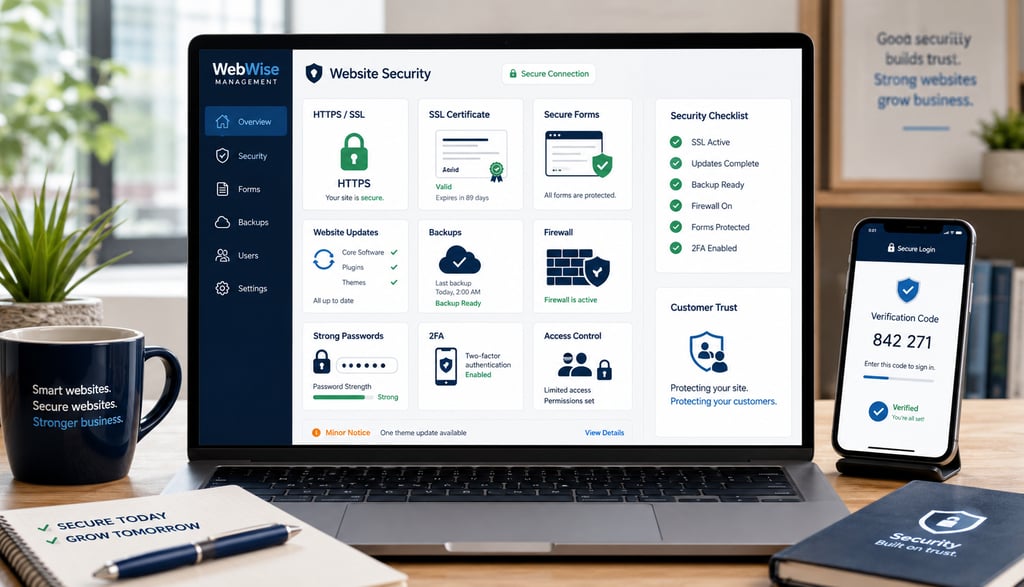
Monitoring and Incident Response
Security is not only about prevention. It is also about noticing problems early and knowing what to do when something goes wrong.
Google Search Console includes a Security Issues report that can show Google’s findings if it detects that your site has been hacked or is behaving in ways that could harm visitors, such as phishing or malware. (support.google.com)
Monitoring should include:
Uptime checks.
Malware scans.
Security plugin alerts.
Search Console warnings.
Failed login attempts.
Plugin and theme update status.
Suspicious form activity.
Hosting alerts.
Backup success reports.
An incident response plan does not need to be complicated. It should answer:
Who do we contact if the site is hacked?
Where are backups stored?
Who has hosting access?
Who can pause ads or campaigns if needed?
How do we notify customers if data is affected?
How do we restore the site?
How do we confirm the issue is fixed?
Writing this down before an incident saves time during a stressful situation.
How Website Security Helps SEO and Trust
The phrase “keep Google happy” does not mean trying to game rankings. It means maintaining a website that is safe, useful and trustworthy.
A secure website supports SEO and user experience in several ways:
HTTPS is a confirmed lightweight ranking signal.
Secure sites reduce browser warnings.
Clean sites avoid malware warnings in Search and browsers.
Fast, updated sites often perform better for users.
Trustworthy websites convert visitors more effectively.
Secure forms make customers more comfortable submitting enquiries.
Google’s Safe Browsing transparency report explains that when Google detects unsafe sites, it shows warnings on Google Search and in browsers. (transparencyreport.google.com)
For a small business, a security warning can be devastating. A customer who sees “This site may harm your computer” or “Not secure” may never return.
How WebWise Management Enhances Website Security
Many small-business owners know security matters but do not have time to manage it properly. That is where professional support can help.
WebWise Management can assist with practical security improvements such as:
SSL certificate installation.
HTTPS migration checks.
Mixed content fixes.
Website software updates.
Plugin and theme reviews.
Backup setup.
Security scans.
Firewall recommendations.
Form protection.
Login protection.
Google Search Console setup.
Website maintenance routines.
Security audits and improvement plans.
The goal is not to make security feel overwhelming. The goal is to put the right basics in place so your website is safer, more reliable and more trustworthy.
For businesses handling customer data, bookings, online payments or enquiries, a website security audit is a smart first step. It can identify gaps before they become expensive problems.
Website Security Checklist for Small Businesses
Use this checklist to review your current website:
Does your site load securely with HTTPS?
Is your SSL certificate active and valid?
Are there any browser “not secure” warnings?
Are your CMS, plugins and themes updated?
Do you remove unused plugins and old accounts?
Are backups automatic and tested?
Is 2FA enabled on admin, email and hosting accounts?
Are passwords unique and stored securely?
Do users have only the access they need?
Are contact and booking forms protected from spam?
Is a firewall or security tool active?
Is Google Search Console set up?
Are malware scans running?
Do you have an incident response plan?
Do you know who to contact if the site is hacked?
If you are unsure about several items, your website may need a security review.
Final Thoughts
Cybersecurity can feel intimidating, but small businesses are not helpless. Many of the most important protections are practical and achievable: HTTPS, strong passwords, two-factor authentication, updates, backups, monitoring and a clear response plan.
Small businesses are real targets, and cyberattacks can damage trust, revenue and operations. But taking action now can reduce risk and protect both your business and your customers.
Need help securing your website? Contact WebWise Management for a website security audit, SSL implementation or ongoing maintenance plan. We can help protect your website, improve customer trust and keep your online presence safer.


Contact
Reach out anytime for personalized support.
Email:
Phone:
+27 72 709 7557
© 2026. All rights reserved.