
Website Getting Visitors but No Leads? Here’s What to Fix
Getting website traffic but no enquiries? Learn the common reasons small business websites fail to convert visitors into leads.
WebWise Management
5/29/20267 min read


Why Your Website Is Getting Visitors but No Leads
Traffic Is Only Useful If It Converts
Getting traffic to your website is a good sign. It means people are finding you, clicking through and showing some level of interest. But traffic alone does not pay the bills. For most small businesses, the real goal is enquiries: phone calls, WhatsApp messages, quote requests, bookings, form submissions or store visits.
If your website is getting visitors but no leads, the issue may not be visibility. It may be conversion.
This is where many business owners get frustrated. They may invest in SEO, social media, Google Ads or Facebook ads and see website visits increase, but the phone still does not ring. The problem is that a visitor still needs to understand your offer, trust your business and know what to do next.
Tools like Google Search Console can help diagnose the first part of the journey. Google says Search Console helps you see which queries bring users to your site and analyze impressions, clicks and average position in Google Search. Its Performance report can also show clicks, impressions, click-through rate and average position, which helps you understand whether the issue is search visibility, search click-through or what happens after the visitor lands on your website.
But once someone lands on your page, your website has to do the persuasive work.
Your Headline Is Unclear
The first few seconds matter. When a visitor arrives, they should instantly understand what you do and whether they are in the right place.
A weak headline might sound clever but say very little:
“Solutions That Move You Forward”
That could apply to almost any business. A stronger headline is specific:
“Website Design and Maintenance for Small Businesses”
Or, for a local service provider:
“Reliable Geyser Repairs in Pretoria”
Clear headlines help visitors orient themselves quickly. They also reduce confusion, especially for people arriving from ads, search results or social media links.
To fix this, check your homepage and main service pages. Ask whether a first-time visitor can answer these three questions within seconds:
What does this business do?
Who is it for?
What should I do next?
If the answer is no, your headline and opening section need work.
Your Call-to-Action Is Too Weak
A call-to-action, or CTA, tells visitors what step to take next. Without a strong CTA, interested visitors may leave simply because the page does not guide them.
Common weak CTAs include:
“Submit”
“Learn More”
“Click Here”
“Contact”
These are not always wrong, but they are often vague. A stronger CTA is specific and action-focused:
“Request a Website Review”
“Book a Consultation”
“Get a Free Quote”
“Call for Emergency Repairs”
“Send Us a WhatsApp Message”
The best CTA depends on your business. A salon may want bookings. A contractor may want quote requests. A consultant may want discovery calls. A repair company may want phone calls or WhatsApp messages.
Every important page should have one clear primary action. You can repeat that action throughout the page, but avoid overwhelming visitors with too many competing choices.
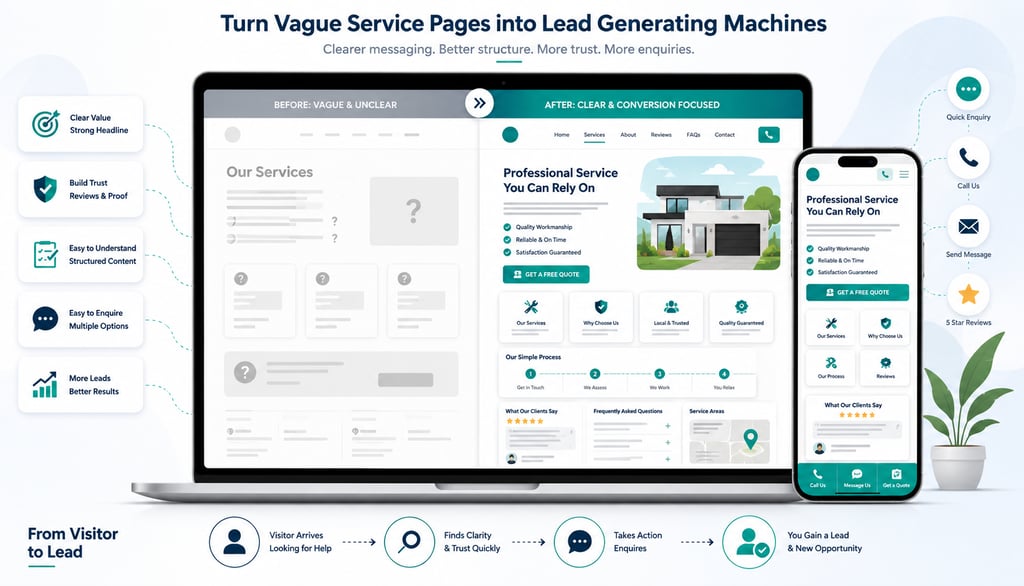
Your Service Pages Are Too Vague
Many business websites have service pages that are too short, too generic or too focused on the business instead of the customer.
A vague service page might say:
“We offer professional maintenance services. Contact us today.”
That does not answer enough questions. A stronger page explains:
What the service is.
Who it is for.
What problem it solves.
What is included.
How the process works.
Where the service is available.
Why the business is trustworthy.
What the visitor should do next.
Google’s guidance recommends creating helpful, reliable, people-first content rather than content made primarily to gain search engine rankings. For service pages, that means answering real customer questions clearly, not stuffing keywords into thin copy.
If you want to improve website conversions, strengthen your service pages. Each important service should have enough information to help a visitor decide whether to enquire.
Your Navigation Is Confusing
Navigation should help visitors move quickly to the right information. If your menu is cluttered, unclear or missing key pages, people may give up.
A good small business website usually needs simple navigation:
Home
About
Services
Projects or Portfolio
Reviews
Blog or Resources
Contact
If you offer several services, group them clearly under a Services menu. Avoid using internal business language that customers do not understand. For example, “Solutions” may be less clear than “Website Design,” “SEO,” or “Repairs.”
The goal is not to show every page in the menu. The goal is to help visitors find what matters most.
Your Mobile Experience Is Poor
Many visitors will view your website on a phone. If the mobile version is difficult to use, your desktop website may not matter.
Poor mobile experience includes:
Text that is too small.
Buttons that are hard to tap.
Images that crop badly.
Menus that are confusing.
Forms that are frustrating.
Pages that require zooming.
Pop-ups that block the screen.
Contact details that are not clickable.
Test your website on multiple phones if possible. Try to complete a real action: call the business, submit a form, book an appointment or read a service page. If the process feels annoying, visitors probably feel the same.
Your Forms Ask for Too Much
Forms should make enquiries easy. If your form asks too many questions upfront, visitors may abandon it.
For a first enquiry, you usually need only:
Name.
Phone number or email.
Service needed.
Short message.
You can collect more details later. The purpose of the first form is to start the conversation.
Also make sure forms actually work. Submit test enquiries regularly. Check that notifications arrive. Confirm that the thank-you message appears. A broken form can silently cost a business leads for weeks.
How to Fix the Problem Step by Step
If your website traffic is not turning into enquiries, do not guess. Work through the problem systematically.
Step 1: Check your traffic source.
Use Google Search Console to see which queries bring people to your website, which pages get clicks and whether search impressions are growing. This helps identify whether the traffic is relevant.
Step 2: Review your most visited pages.
Look at the pages receiving traffic. Are they clear, helpful and conversion-focused? Do they include CTAs and contact options?
Step 3: Improve your headline and opening section.
Make the offer obvious. Visitors should immediately understand what you do and why it matters.
Step 4: Strengthen service pages.
Add clear explanations, benefits, what is included, process steps, FAQs, reviews and location details.
Step 5: Make contact easy.
Add visible phone numbers, WhatsApp links, forms and booking buttons.
Step 6: Add trust signals.
Place reviews, testimonials, photos, case studies and guarantees near key decision points.
Step 7: Test mobile and speed.
Fix slow-loading pages, awkward forms and hard-to-tap buttons.
Step 8: Track enquiries.
Monitor form submissions, calls, WhatsApp clicks and booking requests so you know whether changes are working.
Final Thoughts
If your website is getting visitors but no leads, the traffic is not necessarily the problem. The problem may be what visitors see after they arrive.
Your website must be clear, fast, trustworthy and easy to act on. It needs strong messaging, visible contact details, persuasive service pages, proof that customers can trust you and calls-to-action that guide people toward the next step.
The good news is that many conversion problems are fixable. Small improvements can make a big difference to how many visitors become enquiries.
Need help finding out why your website is not generating leads? Contact WebWise Management for a website conversion review. We can identify the issues costing you enquiries and recommend practical improvements to help turn more visitors into customers.


Your Contact Details Are Hard to Find
If someone is ready to contact you, do not make them search.
Hidden contact details are one of the most common reasons small business websites lose leads. A visitor may like what they see, but if your phone number, WhatsApp link, email address or enquiry button is difficult to find, they may choose a competitor instead.
Your contact options should appear in obvious places:
The website header.
The footer.
The contact page.
Service pages.
Landing pages.
Mobile sticky buttons, where appropriate.
For local service businesses, click-to-call buttons are especially important on mobile. For businesses that rely on quick communication, a WhatsApp button can reduce friction. For appointment-based businesses, the booking link should be easy to find from every major page.
A simple test: open your website on your phone and pretend you are a busy customer. Can you contact the business within five seconds? If not, fix it.
Your Website Looks Outdated
Visitors make quick judgments. If your website looks old, broken or neglected, people may wonder whether your business is still active or professional.
An outdated website does not always mean ugly design. It can also mean:
Old promotions.
Out-of-date photos.
Services you no longer offer.
Broken layouts.
Tiny text.
Poor spacing.
Old branding.
Copyright dates from years ago.
Staff members who no longer work there.
Blog posts that stopped years ago.
These details quietly damage trust.
Modernizing your website does not always require a full redesign. Sometimes, small improvements make a big difference: new photos, clearer copy, updated service pages, stronger CTAs, refreshed colours, improved spacing and current testimonials.
Your website should feel alive, accurate and aligned with the business customers will experience when they contact you.
Your Pages Load Too Slowly
A slow website can lose leads before visitors even see your offer.
Speed matters because people are impatient online, especially on mobile. Google’s mobile page speed research found that as page load time increases from one second to three seconds, the probability of bounce rises by 32%.
For a small business, that means slow pages can waste hard-earned traffic from SEO, social media and paid ads. If someone clicks your link but leaves before the page loads properly, you have lost the opportunity.
Common speed problems include:
Oversized images.
Too many plugins.
Heavy sliders or animations.
Cheap or overloaded hosting.
Unoptimized videos.
Too many third-party scripts.
Old website themes.
To start improving speed, compress images, remove unnecessary tools, simplify page design and test your most important pages on mobile. Focus first on pages that generate enquiries: homepage, service pages, contact page, booking page and ad landing pages.
You Have No Reviews or Proof
Visitors need reasons to trust you. This is especially true if they found you through search or ads and do not know your business yet.
Trust signals reduce doubt. They show that other people have used your service and had a good experience.
Useful trust signals include:
Google review snippets.
Customer testimonials.
Before-and-after photos.
Case studies.
Project galleries.
Client logos.
Industry certifications.
Years of experience.
Guarantees or warranties.
Team photos.
Real business address or service area.
For example, a contractor can show completed projects. A salon can show before-and-after transformations. A mechanic can show certifications and customer reviews. A consultant can show client outcomes or case studies.
Do not hide all your proof on one testimonials page. Place trust signals near important CTAs. If someone is about to request a quote, show a review beside the form. If someone is reading about a service, show proof that you have delivered that service successfully.
Contact
Reach out anytime for personalized support.
Email:
Phone:
+27 72 709 7557
© 2026. All rights reserved.