
Social Media Customer Service: Why Fast Replies Matter
Customers expect fast replies on social media. Learn how response time, message handling and customer care affect trust and sales.
WebWise Management
6/7/20267 min read
Social Media Customer Service: Why Fast Replies Can Win or Lose Customers
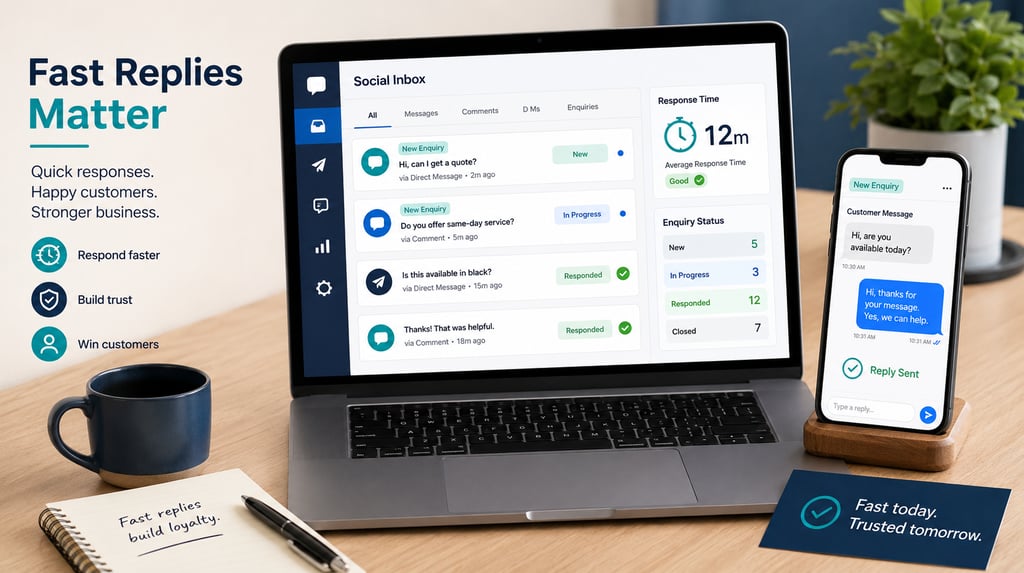
Social Media Is Now a Customer Service Channel
For many small businesses, social media is still treated mainly as a place to post updates, photos, promotions and reels. That is important, but it is only half the picture.
Today, customers also use social media to ask questions, request prices, check availability, complain, follow up on orders, ask for directions, book appointments and decide whether a business feels responsive enough to trust.
That means social media customer service is no longer optional. If your business uses Facebook, Instagram, TikTok, WhatsApp or Messenger, customers may already see those platforms as contact channels — even if you do not.
A potential customer might send an Instagram DM asking for a quote. Someone might comment on a Facebook post asking whether you are open on Saturday. A TikTok viewer might ask where you are based. A customer might message your WhatsApp number after seeing your ad.
If those messages go unanswered, the customer does not always wait. They often move on.
Sprout Social’s customer service research reports that nearly three-quarters of consumers expect brands to respond within 24 hours or sooner. Even more importantly, Sprout Social reports that 73% of social users agree they will buy from a competitor if a brand does not respond on social media.
For small businesses, this is a major opportunity. Fast, helpful replies can make you look reliable before the customer ever visits your premises, books a service or requests a formal quote.
Why Response Time Matters
Speed matters because customer intent can fade quickly.
When someone messages your business, they are often in decision-making mode. They may be comparing several providers, checking prices or trying to solve an urgent problem. A fast reply keeps the conversation alive. A slow reply creates space for doubt — or for a competitor to respond first.
Good social media response time does not mean you need to be online every minute of the day. It means customers should feel acknowledged within a reasonable timeframe. Sprout Social notes that even when an issue takes several messages to solve, customers still want a quick first response and to feel seen.
For example:
A salon that replies quickly to “Do you have appointments this Friday?” may win the booking.
A mechanic that answers “Can you check my brakes today?” may win an urgent job.
A restaurant that confirms “Yes, we take bookings for six people tonight” may fill a table.
A consultant that responds to “Do you work with small businesses?” may start a sales conversation.
A fast reply tells customers: this business is active, organized and paying attention.
What Happens When Businesses Ignore Messages
Ignoring messages does not simply mean losing one conversation. It can damage trust.
Customers may interpret silence as:
The business is too busy.
The business is disorganized.
The page is inactive.
The business does not care.
The business may be difficult to deal with after purchase.
A competitor would be easier to contact.
This is especially risky for local businesses where customers want quick answers. If someone is looking for an emergency repair, last-minute appointment, product availability or booking confirmation, a delayed response can cost the sale.
There is also a public element. Comments left unanswered under posts can be seen by other potential customers. If several people ask questions and receive no reply, your page may look neglected.
On the other hand, visible replies build confidence. When future customers see that you answer politely, clearly and quickly, your social presence starts working as proof of service quality.
That is why responding to customers on social media should be treated as part of your customer experience, not as a side task.
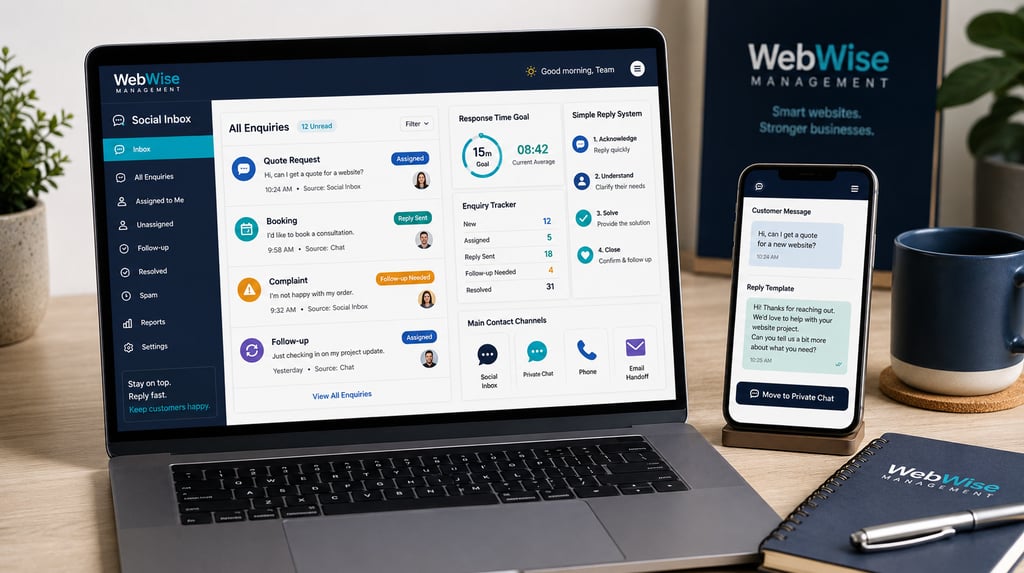
How to Set Up a Simple Reply System
A good reply system does not need to be complicated. Small businesses can start with a basic process that makes messages easier to manage.
1. Choose Your Main Contact Channels
Decide which platforms customers should use to contact you. For many small businesses, this might include Facebook Messenger, Instagram DMs and WhatsApp.
Make those channels obvious. Add the correct links to your profiles, website, Google Business Profile and email signature.
2. Set Response Time Goals
Create a simple internal standard. For example:
Reply to all new messages within 4 business hours.
Reply to urgent enquiries as soon as possible.
Check messages at the start, middle and end of each business day.
Respond to weekend messages by Monday morning unless you offer weekend support.
The exact goal depends on your business. A restaurant, salon or emergency service may need faster replies than a consulting business. The important part is having a standard.
3. Assign Responsibility
Do not assume “someone” will check the inbox. Name the person responsible.
If multiple staff members answer messages, create basic rules so replies stay consistent. Decide who handles quotes, complaints, bookings, order questions and technical questions.
4. Use Labels or a Simple Tracker
Track enquiries so they do not disappear inside a busy inbox. You can use a spreadsheet, CRM, social inbox tool or even a shared document.
Record:
Customer name.
Platform used.
Date of enquiry.
Enquiry type.
Status.
Follow-up needed.
Outcome.
Sprout Social’s customer service metrics guidance recommends tracking data such as total received messages, average first reply time, average reply wait time and customer abandonment rate because these metrics show workload, responsiveness and where customers may be dropping off.
5. Close the Loop
A conversation is not complete just because you replied once. If a customer asks for a quote, send it. If they ask for availability, confirm it. If you move them to email or WhatsApp, make sure the follow-up happens there.
Message Templates for Common Enquiries
Templates save time and help your team reply consistently. The key is to make them sound human, not robotic.
Price Enquiry Template
“Hi [Name], thanks for getting in touch. We can definitely help. Prices depend on [brief factor], so the best next step is to send us [details needed]. Once we have that, we can guide you properly.”
Booking Enquiry Template
“Hi [Name], thanks for your message. We currently have availability on [date/time options]. Would you like us to reserve one of those for you?”
Product Availability Template
“Hi [Name], thanks for asking. Yes, we currently have [product/service] available. You’re welcome to visit us at [location] or message us here if you’d like us to set one aside.”
Quote Request Template
“Hi [Name], we’d be happy to provide a quote. Please send us [photos/details/location/timing], and we’ll review the information and come back to you with the next step.”
Complaint Acknowledgement Template
“Hi [Name], thank you for letting us know. We’re sorry to hear about your experience and would like to understand what happened. Please send us your contact details or order/reference information privately so we can look into this properly.”
After-Hours Template
“Thanks for your message. We’re currently closed, but we’ll respond as soon as we’re back during business hours. Our opening hours are [hours].”
Templates should be customized for each customer. Use their name where appropriate, answer the specific question and avoid sounding dismissive.
When to Move Conversations to WhatsApp, Phone or Email
Social media is excellent for starting conversations, but not every issue should stay there.
Move the conversation to WhatsApp, phone or email when:
The customer needs to share private information.
The issue involves payment, address details or order information.
The complaint is sensitive.
The enquiry requires a detailed quote.
The customer needs documents, images or specifications.
The conversation is becoming too complex for comments or DMs.
For example, if someone comments publicly, “My order still hasn’t arrived,” reply publicly first:
“Hi [Name], we’re sorry to hear that. Please send us your order number privately so we can check this for you.”
This shows other customers that you are responsive while protecting the customer’s details.
For high-value enquiries, a phone call may be best. A consultant, contractor or repair company can often qualify a lead faster with a short call than through ten back-and-forth messages.
WhatsApp is useful for quick local conversations, photos, appointment confirmations and follow-ups. Email is better for formal quotes, contracts, invoices and detailed proposals.
Customer Service on Facebook and Instagram
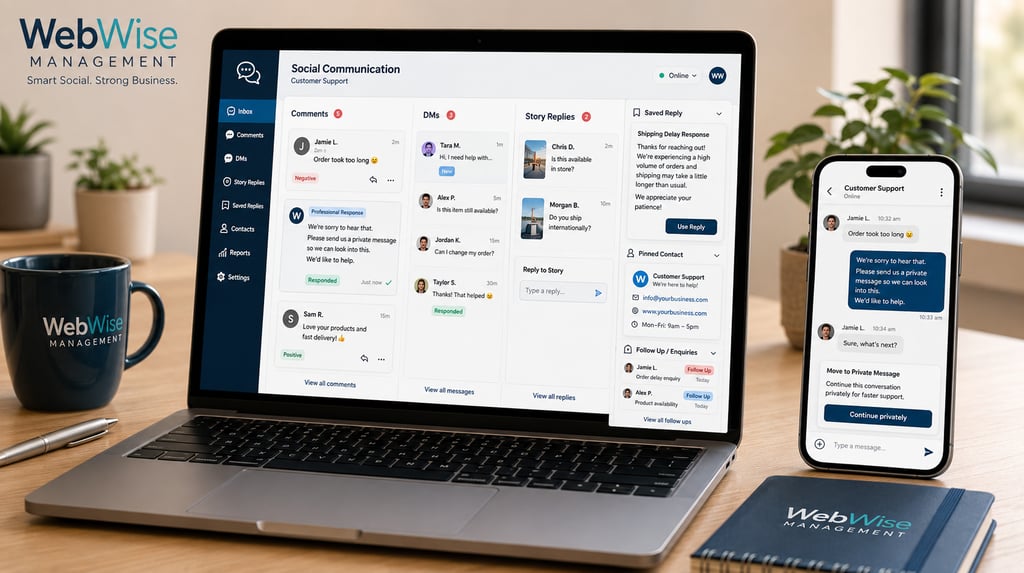
Facebook and Instagram are often the main channels for small-business customer communication. Customers may comment on posts, reply to Stories, send DMs or click message buttons from ads.
Good customer service on Facebook and Instagram includes:
Checking inboxes daily.
Replying to comments as well as private messages.
Monitoring story replies.
Saving common answers.
Updating profile contact links.
Pinning important information where possible.
Making opening hours clear.
Moving complex issues to private channels.
Following up after quotes or bookings.
Do not overlook comments. A customer who asks “How much?” or “Where are you based?” in a comment is showing buying interest. If you do not reply, another business may win the enquiry.
Handling Negative Comments Professionally
Negative comments happen. What matters is how you respond.
A defensive response can make the situation worse. A calm response can show professionalism.
Use this structure:
Acknowledge the concern.
Apologize where appropriate.
Avoid arguing publicly.
Offer to continue privately.
Follow through.
Example:
“Hi [Name], thank you for your feedback. We’re sorry this was your experience. Please send us a private message with your details so we can look into it and help resolve the issue.”
Never share private customer information publicly. Do not delete criticism unless it is abusive, spammy or clearly inappropriate according to platform rules. Genuine complaints should be handled with care.
How WebWise Can Help Manage Social Communication
For many small businesses, the challenge is not understanding that replies matter. The challenge is time.
You may be serving customers, managing staff, handling operations, placing orders, sending invoices or working on-site. Checking every Facebook comment, Instagram DM, TikTok question, WhatsApp message and Messenger enquiry can quickly become overwhelming.
That is where social media management for small business can help.
WebWise Management can support your business by helping you:
Monitor social media messages and comments.
Create response templates.
Set up enquiry tracking.
Plan clear escalation rules.
Keep social profiles updated.
Respond professionally to common questions.
Identify missed enquiry opportunities.
Align social communication with your website and Google Business Profile.
Build a more consistent customer experience online.
A managed approach means your social pages do not just look active — they function as real customer communication channels.
Final Thoughts
Social media is not only for posting. It is now part of customer service, sales and reputation management.
When customers message your business, they are often ready to act. Fast, helpful replies can turn interest into bookings, quotes, visits and sales. Slow or missing replies can push customers toward competitors.
The good news is that better social customer service does not require a complicated system. Start with clear response goals, simple templates, enquiry tracking and a process for moving conversations to WhatsApp, phone or email when needed.
Need help keeping up with messages, comments and customer enquiries? Contact WebWise Management for social media management services that help your business respond faster, communicate better and turn more online conversations into customers.
Contact
Reach out anytime for personalized support.
Email:
Phone:
+27 72 709 7557
© 2026. All rights reserved.