
DIY Websites vs. Professional Design: Hidden Costs and Missed Opportunities
Discover the hidden costs of building your own website, from poor mobile design and slow speed to lost leads and credibility.
WebWise Management
6/10/20267 min read
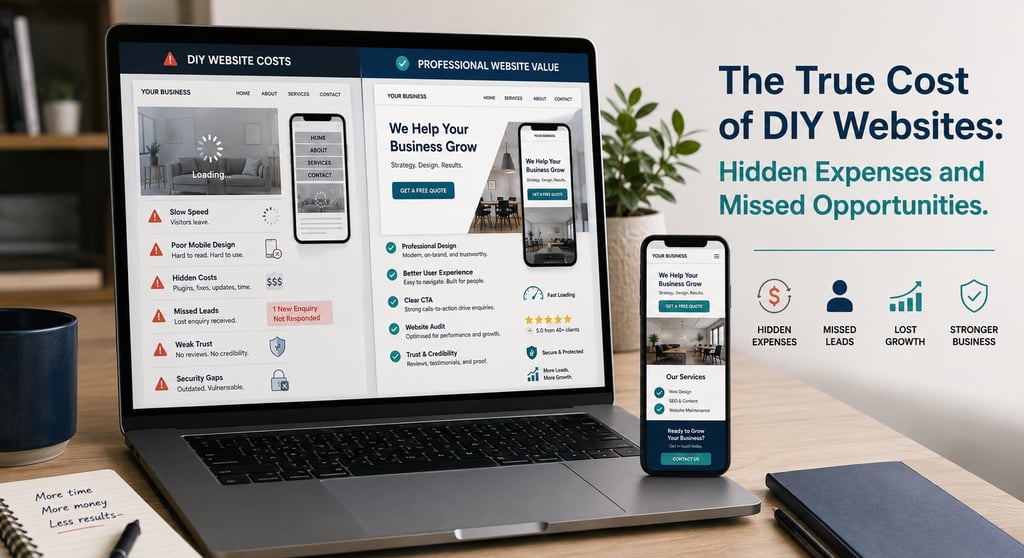
The True Cost of DIY Websites: Hidden Expenses and Missed Opportunities
Why DIY Websites Seem Appealing
For many small-business owners, a DIY website feels like the sensible choice.
Budgets are tight. Time is limited. Website builders promise quick results, low monthly fees and easy drag-and-drop tools. For a startup, solopreneur or local business trying to get online quickly, building your own website can feel like a practical first step.
And sometimes, it is. A simple DIY site can help you test an idea, publish basic contact details or create a temporary online presence while the business is still developing.
The problem starts when a DIY website becomes the business’s main sales tool, but it was never built to perform like one.
Your website is often the first place potential customers go to decide whether they trust you. It may need to explain your services, rank on Google, load quickly, work on mobile, collect enquiries, support ads, showcase reviews and make your business look professional. That is a much bigger job than simply “having a website.”
That is where the real DIY website costs begin. The obvious cost may be low. The hidden cost may be lost leads, weak credibility, poor search visibility and hours of your own time spent trying to fix problems that a professional would have planned for from the start.
Hidden Costs: Time, Missed Leads and Brand Credibility
The first hidden cost of a DIY website is time.
Many business owners start with the idea that they will “just build something simple.” Then they spend evenings choosing templates, changing fonts, resizing images, writing copy, fixing mobile layouts, connecting forms, setting up hosting, troubleshooting errors and trying to understand SEO.
That time has a cost. Every hour spent struggling with your website is an hour not spent serving customers, improving operations, selling, networking or managing the business.
The second hidden cost is missed leads. A website can look acceptable to the business owner but still fail to convert visitors. Common problems include vague headlines, unclear service pages, weak calls-to-action, hidden contact details and no trust signals. Visitors may arrive, feel unsure and leave without ever telling you why.
The third hidden cost is credibility.
Design plays a major role in how people judge websites. Stanford’s Web Credibility Project found that, when people evaluated website credibility, “design look” was the most frequently mentioned factor, appearing in 46.1% of credibility comments. The study also noted that people often used visual cues such as layout, typography, font size and colour schemes when assessing credibility. (simson.net) A commonly cited design statistic says 94% of first impressions are design-related, but the safest takeaway is this: people judge businesses quickly based on how their websites look and feel. (cliquestudios.com)
For a small business, this matters. A dated, cluttered or poorly structured website can make a professional business look less reliable than it really is.
The ROI of Professional Design
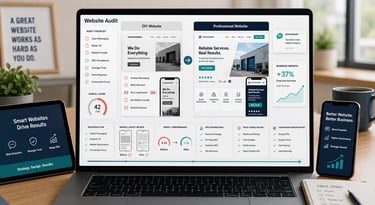
The debate around professional web design vs DIY should not be framed as “cheap versus expensive.” A better question is: which option creates better long-term value?
A professional website is designed around business goals. It should help customers understand what you offer, trust your business and take action. It should also support SEO, mobile usability, speed, content updates and future growth.
Professional design can improve ROI by addressing the areas where DIY sites often struggle:
Clear messaging
A professional site explains what you do, who you help and why customers should choose you.
Better user experience
Navigation, page structure, mobile layout and calls-to-action are planned intentionally.
Stronger credibility
Design, copy, reviews, imagery and trust signals work together to make the business feel reliable.
Improved SEO foundations
Service pages, headings, metadata, internal links and technical structure are built with search visibility in mind.
Higher conversion potential
The site is designed to generate calls, bookings, quote requests, WhatsApp messages or purchases.
Less wasted ad spend
If you run Google, Facebook or TikTok ads, a professional landing page gives paid traffic a better chance of converting.
A professional website does not guarantee instant success, but it gives your business a stronger digital foundation.
How WebWise Management Can Help Fix or Redesign Your Site
Not every DIY website needs to be thrown away. Sometimes, the right approach is an audit and improvement plan. Other times, a full redesign is the better investment.
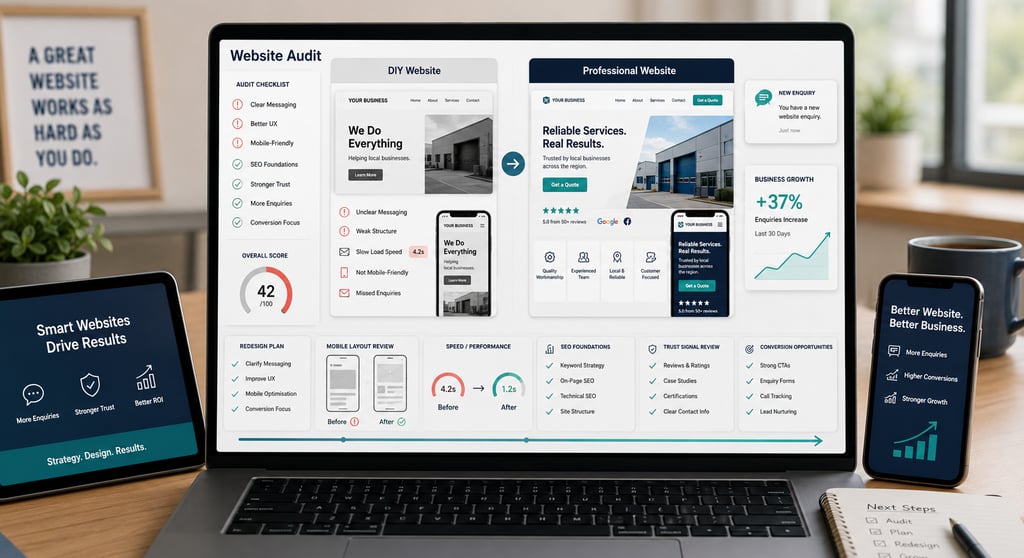
WebWise Management can help identify what your website needs by reviewing:
Homepage clarity.
Service page structure.
Mobile layout.
Page speed.
Calls-to-action.
Contact forms.
SEO basics.
Trust signals.
Navigation.
Images and branding.
Google Analytics and Search Console setup.
Conversion opportunities.
If your website has a solid foundation, WebWise can improve the weak points. That may include rewriting service pages, adding clearer CTAs, optimizing images, improving mobile layouts, creating location pages or adding trust-building content.
If your website is outdated, slow or difficult to maintain, WebWise can help plan a redesign that better supports your business goals.
The aim is not to make your website “pretty” for the sake of it. The aim is to make it clearer, faster, more trustworthy and more likely to turn visitors into enquiries.
When DIY Makes Sense — and When It Does Not
DIY is not always wrong. It can make sense when:
You are testing a business idea.
You need a temporary one-page site.
You have no budget yet.
You only need basic contact information online.
You understand the platform and can maintain it properly.
But professional help becomes more important when:
Your website is not generating leads.
You rely on local search.
You plan to run ads.
Your services need clear explanation.
Customers compare you with competitors online.
Your site looks outdated.
Your site is slow or poor on mobile.
You need SEO content.
You sell products online.
You want the website to support growth.
A DIY website may save money at the beginning, but if it costs you leads every month, it is not really cheap.
Final Thoughts
DIY websites are appealing because they promise speed, control and low upfront costs. For some businesses, they are a useful starting point. But as your business grows, the hidden costs become harder to ignore.
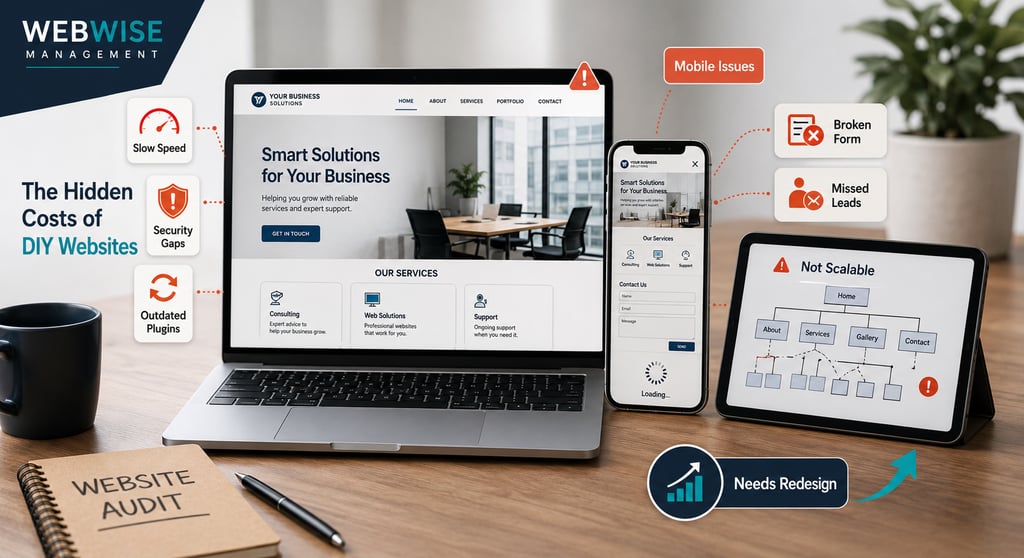
Poor design can weaken trust. Bad mobile experience can push customers away. Slow pages can reduce enquiries. Security gaps can create risk. Weak SEO can limit visibility. Unclear copy can make visitors leave without contacting you.
The true cost of a DIY website is not only what you pay for the platform. It is the business you may be missing because your website is not doing its job.
Need an honest view of whether your DIY website is helping or holding you back? Contact WebWise Management for a professional website audit or redesign. We will help you identify the problems, prioritize the fixes and turn your website into a stronger business asset.

Mobile and Speed Issues That Scare Visitors Away
One of the biggest small business website mistakes is building a website on a desktop and forgetting how customers actually use it.
Many visitors will view your site from a phone. Current mobile traffic measurements vary by source and method, but StatCounter’s May 2026 worldwide data shows mobile generating just over half of desktop-versus-mobile traffic, while other device-split reports place mobile’s share higher. The practical message is the same: mobile experience is not optional. (gs.statcounter.com)
A DIY site may look fine on a laptop but break down on mobile. Buttons may be too small. Text may be difficult to read. Images may crop badly. Forms may be frustrating. Menus may be hard to use. Contact details may not be clickable.
Google’s mobile research found that 74% of people are more likely to return to a mobile-friendly site, and 67% are more likely to buy from a mobile-friendly site. The same research found that 50% of people would use a business less often if its website was not mobile-friendly, even if they liked the business. (agency.googleblog.com)
Speed is just as important. Akamai reported that 47% of consumers expected an e-commerce page to load in two seconds or less, and 40% would wait no more than three seconds before abandoning a retail or travel site. Although that study is older, speed expectations have only become more demanding over time. (ir.akamai.com) Akamai’s current website speed guidance also notes that two seconds or less is generally considered a good page load time, and it lists Core Web Vitals as key user-experience metrics. (akamai.com)
Slow DIY websites often suffer from oversized images, heavy templates, unnecessary plugins, poor hosting and unoptimized code. The result is simple: visitors leave before they become leads.
Security and Compliance Gaps
Security is another hidden cost of DIY websites.
Many small-business owners assume security is handled automatically by the website platform. Sometimes basic protections are included, but that does not mean the site is fully protected, maintained or compliant with your business needs.
Common DIY security gaps include:
No SSL certificate or incorrect SSL setup.
Outdated plugins or themes.
Weak passwords.
No regular backups.
Forms that do not protect customer information properly.
No privacy policy.
No cookie notice where required.
No plan for restoring the site if something breaks.
For e-commerce sites, the stakes are higher. Product pages, payment gateways, customer accounts, shipping information and order notifications all need to work securely and reliably.
Even basic service businesses should take security seriously. If a contact form breaks, leads may disappear. If a website is hacked, customers may lose trust. If there is no backup, a simple mistake can become an expensive rebuild.
Professional web design is not only about appearance. It includes structure, stability, security and long-term maintainability.
Limited Scalability and Growth
A DIY website may work when your business has one service, one page and one goal. But what happens when you grow?
You may need:
Separate service pages.
Location pages for different towns or suburbs.
Blog content.
Booking tools.
E-commerce functionality.
Lead tracking.
CRM integrations.
Google Analytics.
Search Console setup.
Landing pages for ads.
Better hosting.
New branding.
More advanced SEO.
Many DIY sites are not planned with growth in mind. They become difficult to update, hard to navigate and messy behind the scenes. What started as a quick solution can become a barrier.
This is one reason many businesses eventually ask about website redesign cost. They are not paying only to make the site look better. They are paying to fix the limitations that prevent the website from supporting the business properly.
Contact
Reach out anytime for personalized support.
Email:
Phone:
+27 72 709 7557
© 2026. All rights reserved.