
Accessible Websites: Open Your Business to 1.3 Billion People
Most websites fail basic accessibility tests. Learn why inclusive design matters, how ADA compliance reduces legal risk, and how accessible websites improve SEO and reach.
WebWise Management
6/15/20267 min read
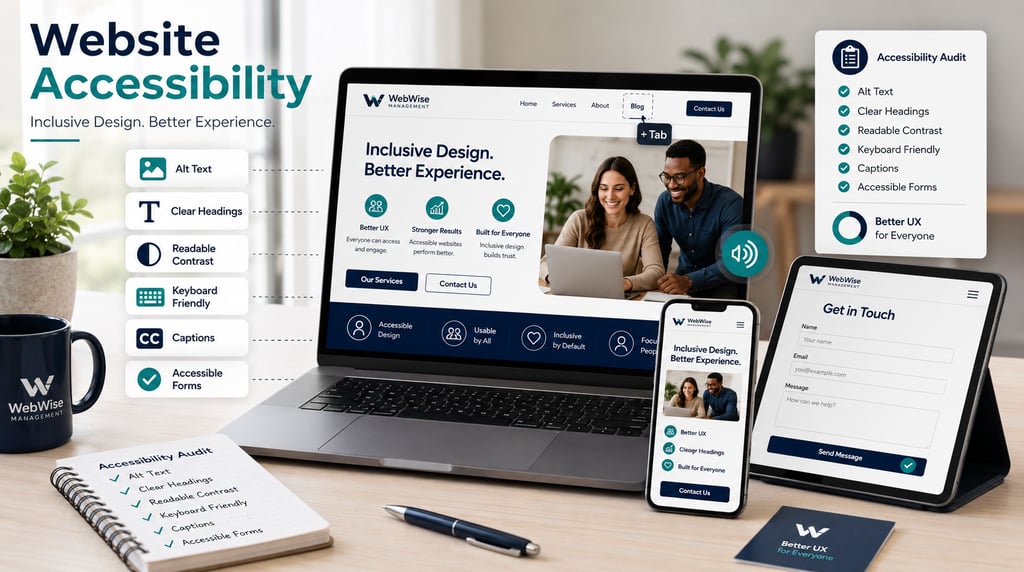
Building an Accessible Website: How ADA Compliance Opens Your Business to 1.3 Billion People
What Is Web Accessibility and Why It Matters
Website accessibility means designing and maintaining your website so people with disabilities can use it. That includes people who are blind or have low vision, people who are deaf or hard of hearing, people with mobility disabilities, people with cognitive disabilities and people who use assistive technologies such as screen readers, keyboard navigation or voice control.
For small businesses, accessibility is often overlooked because it sounds technical or legal. But at its heart, website accessibility is about making sure every potential customer can understand your content, browse your services, complete forms, watch videos, read product information and contact your business.
This is not a small audience. The World Health Organization estimates that 1.3 billion people experience significant disability, representing about 16% of the global population, or one in six people.
An inaccessible website can quietly exclude people from booking an appointment, requesting a quote, buying a product or reading important information. An accessible website does the opposite: it opens the door wider.
The Legal Landscape: ADA and WCAG
In the United States, the Americans with Disabilities Act, or ADA, is a major law connected to accessibility. The Department of Justice says its web accessibility guidance explains how businesses open to the public and state and local governments can make sure their websites are accessible to people with disabilities as required by the ADA.
For technical guidance, businesses commonly look to the WCAG guidelines, short for Web Content Accessibility Guidelines. WCAG is developed by the World Wide Web Consortium, and WCAG 2.2 explains how to make web content more accessible for people with a wide range of disabilities, including visual, auditory, physical, speech, cognitive, language, learning and neurological disabilities.
WCAG is built around four principles: content should be perceivable, operable, understandable and robust. In simple terms, users should be able to perceive the information, operate the website, understand what is happening and use the site with current and future technologies.
For small businesses, this does not mean every owner needs to become a legal or technical expert. It means accessibility should be treated as part of responsible website management. Legal requirements vary by country, industry and business type, so businesses should seek legal advice where needed. But from a practical perspective, WCAG gives website owners a clear framework for improving access.
The risk is also real. Be Accessible, citing UsableNet’s 2025 reporting, states that 5,114 ADA digital accessibility lawsuits were filed nationwide in 2025 across federal and state courts. Accessibility should not be approached only out of fear, but legal exposure is one reason businesses should take it seriously.
The Market Opportunity: Reaching Millions of Users
Accessibility is often discussed as a compliance issue, but it is also a business opportunity.
If 1.3 billion people globally live with significant disability, then inaccessible websites are not just creating inconvenience. They are creating barriers to a large audience of potential customers, clients, patients, guests and buyers.
Accessible websites can help:
A person using a screen reader understand your services.
A customer with low vision read your menu, pricing or booking instructions.
A person with limited mobility navigate your site without a mouse.
A user who is deaf or hard of hearing understand your video content through captions.
A customer with cognitive challenges complete a form more easily.
An older customer browse comfortably on a phone or tablet.
Accessibility also benefits people in temporary or situational circumstances. Someone with a broken wrist may need keyboard-friendly navigation. Someone watching a video in a noisy environment may rely on captions. Someone using a mobile device in bright sunlight may need strong colour contrast.
That is why inclusive websites are not only for a specific group. They improve the experience for everyone.
5. Ensure Keyboard Navigation
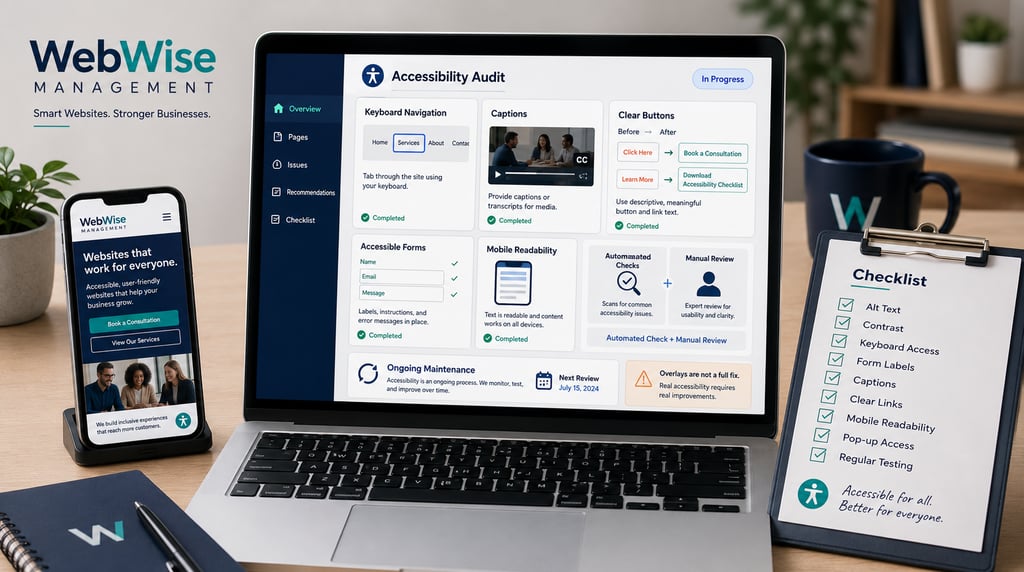
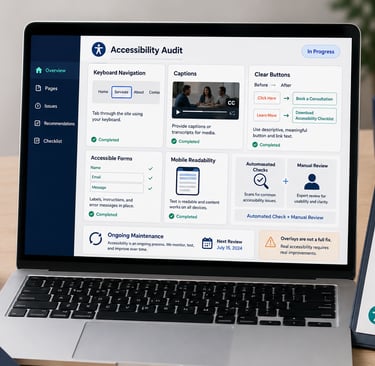
Test whether you can move through your website using the Tab key. Can you reach menus, buttons, forms and links? Can you see where the focus is? Can you close pop-ups?
6. Add Captions or Transcripts
If you use videos, add captions. For podcasts or audio content, consider transcripts. This makes your content more inclusive and easier to repurpose.
7. Use Descriptive Link and Button Text
Replace vague links with specific ones. “Book a consultation” is clearer than “click here.” “Download our accessibility checklist” is better than “learn more.”
8. Avoid Accessibility Overlays as a Quick Fix
Some tools promise instant compliance with a widget or overlay. These may help with limited adjustments, but they do not replace proper accessibility work. Accessibility should be built into the structure, content and design of the website.
9. Test With Automated and Manual Checks
Automated tools can catch many issues, but they cannot catch everything. A good accessibility review should include automated testing, manual checks and practical user-experience review.
10. Keep Accessibility Ongoing
Accessibility is not a one-time project. New pages, plugins, images, forms and design changes can introduce new barriers. Build accessibility checks into your website maintenance routine.
Website Accessibility Checklist for Small Businesses
Use this quick checklist to identify common issues:
Do all meaningful images have alt text?
Is text easy to read against the background?
Can users navigate the site with a keyboard?
Are buttons and links descriptive?
Are forms clearly labelled?
Are error messages helpful?
Are videos captioned?
Is content organized with logical headings?
Is text readable on mobile?
Are pop-ups easy to close?
Are PDFs and downloads accessible?
Is the website tested regularly?
Are booking, contact and checkout flows accessible?
Are page titles clear and unique?
Are accessibility improvements documented?
If several of these items raise concerns, an accessibility audit is a smart next step.
How WebWise Management Audits and Fixes Accessibility
Many small-business owners want to improve accessibility but do not know where to start. That is understandable. Accessibility involves design, development, content, forms, images, video and user experience.
WebWise Management can help by reviewing your website and identifying the issues most likely to affect users. An accessibility audit may include checks for colour contrast, alt text, keyboard navigation, heading structure, form labels, mobile usability, captions, link text and general WCAG alignment.
From there, WebWise can help prioritize practical fixes. Some improvements may be simple, such as rewriting button text or adding alt text. Others may require design or development updates, such as improving forms, rebuilding inaccessible sections or redesigning pages with better structure.
The goal is not only to reduce risk. The goal is to create a website that more people can use confidently.
Final Thoughts
Building an accessible website is one of the most meaningful improvements a small business can make. It supports inclusion, improves usability, expands your potential audience and helps reduce legal risk.
With 1.3 billion people globally experiencing significant disability, accessibility is not a niche concern. It is part of serving customers properly in a digital world.
The encouraging news is that many accessibility issues are fixable. Better contrast, clearer headings, alt text, captions, keyboard navigation and accessible forms can make a real difference.
Need help understanding where your website stands? Contact WebWise Management for a website accessibility audit and practical improvement plan. We can help make your website more inclusive, more usable and better prepared to serve every customer.
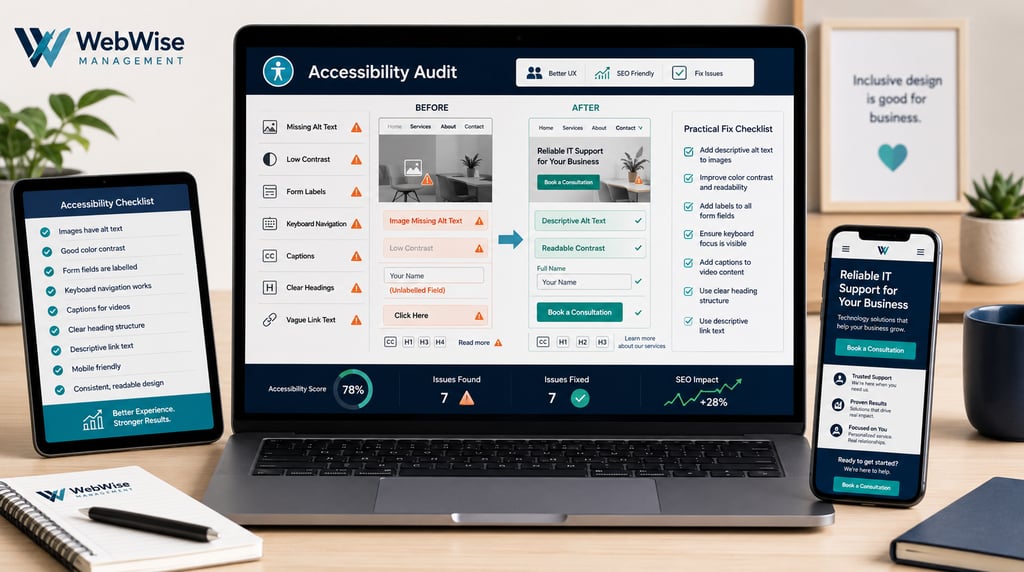
Common Accessibility Issues on Small Business Sites
Most websites still have accessibility problems. WebAIM’s 2025 analysis of one million home pages found 50,960,288 distinct accessibility errors, averaging 51 errors per page. Its 2026 report found that 95.9% of home pages had detectable WCAG 2 failures, up from 94.8% in 2025.
Many of these problems are common on small-business websites.
Missing Alt Text
Alt text describes images for people who cannot see them. If your site uses images of products, staff, menus, locations or completed projects without meaningful alt text, screen reader users may miss important information.
Poor Colour Contrast
Text should be easy to read against its background. WebAIM’s 2026 report found low-contrast text on 83.9% of home pages, making it the most commonly detected accessibility issue.
Unlabelled Forms
Contact forms, booking forms and quote request forms need clear labels. If fields are not properly labelled, users relying on assistive technology may not know what information to enter.
Keyboard Navigation Problems
Some users cannot use a mouse. Your website should be navigable with a keyboard, including menus, buttons, forms and pop-ups.
Missing Video Captions
Videos should include captions or transcripts where appropriate. This helps users who are deaf or hard of hearing, and it also helps people who watch videos without sound.
Confusing Headings
Headings should create a logical structure. A page with random heading sizes may look acceptable visually but be difficult for assistive technology users to navigate.
Vague Link Text
Links such as “click here” or “read more” are less helpful than descriptive links such as “request a website accessibility audit” or “view our service packages.”
How Accessibility Improves SEO and User Experience
Accessibility and SEO are not the same thing, but they often support each other.
Search engines and assistive technologies both benefit from clear structure. A website with descriptive headings, meaningful page titles, alt text, readable copy and logical navigation is easier for people to use and easier for search engines to understand.
Accessible design can also improve conversions. If visitors can read your content, navigate your site, complete forms and understand your calls-to-action, they are more likely to enquire.
For example:
Better contrast helps people read your service pages.
Clear headings help visitors scan your content.
Descriptive buttons make next steps obvious.
Captions make video content more useful.
Faster, simpler pages often work better on mobile.
Well-labelled forms reduce frustration and abandonment.
In other words, accessible web design is not just a compliance task. It is good user experience.
Steps to Make Your Site Accessible
Accessibility improvements can feel overwhelming, but small businesses can start with practical steps.
1. Add Descriptive Alt Text
Review important images on your website. Add alt text that explains the image’s purpose. For example, instead of “image1.jpg,” use “WebWise Management team reviewing a small business website audit.”
Decorative images can often have empty alt attributes, but meaningful images should be described.
2. Improve Colour Contrast
Check whether text is easy to read against its background. Light grey text on a white background, pale buttons and low-contrast banners are common problems.
Strong contrast helps users with low vision and improves readability for everyone.
3. Use Clear Headings
Structure pages logically with one main H1, followed by H2s and H3s. Do not choose headings only because they look nice. Use them to organize the page.
4. Make Forms Easy to Use
Every form field should have a clear label. Error messages should explain what went wrong and how to fix it. Keep forms as short as possible, especially on mobile.
Contact
Reach out anytime for personalized support.
Email:
Phone:
+27 72 709 7557
© 2026. All rights reserved.